Posts

Showing posts with the label configuration

RSYSLOG for Logging HAProxy

Image
RSYSLOG is the rocket-fast system for log processing. It offers high-performance, great security features and a modular design. While it started as a regular syslogd, rsyslog has evolved into a kind of swiss army knife of logging, being able to accept inputs from a wide variety of sources, transform them, and output to the results to diverse destinations. RSYSLOG can deliver over one million messages per second to local destinations when limited processing is applied (based on v7, December 2013). Even with remote destinations and more elaborate processing the performance is usually considered "stunning". No need to install rsyslog on Linux OS because the default linux ubuntu is already installed rsyslog. The configuration file is in /etc/rsyslog.conf Just run the rsyslog configuration for the haproxy log. Then edit the rsyslog.conf file        nano /etc/rsyslog.conf remove the # character as shown above. The option is useful to open port 514 with udp...
Installation and Basic Configuration of Apache Web Server

Image
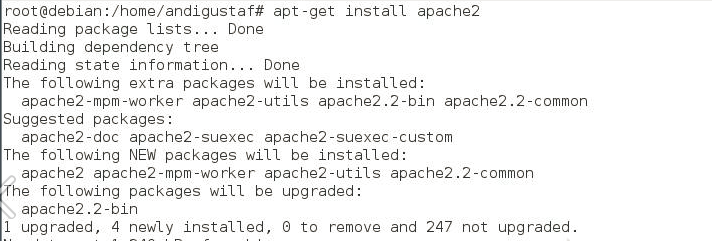
Hello world, previously we post the definition of web server and how it works. So here how to configure web server using apache. Install apache2 package Check using nmap Check the web server using a browser http://localhost . If it appears like this then it works Installing PHP5 Perform testing on php5 If it looks like the picture above then work and type http: //localhost/index.php. If the result looks like the picture below then it works Install mysql At the time of the installation process is told to go to the root is useful if we need to create a database. Test Mysql service using nmap

Tutorial Install FTP Server

Image
First install the proftpd app with the command "apt-get install proftpd", then hit enter. Then you will see 2 options for running applications proftpd in inetd or standalone mode. Inetd and standalone difference is when an ftp server accessed only occasionally or accessing a bit with the reasons for saving resources / memory. If an ftp server accessible continuously and many users accessing select standalone mode. After the installation is complete, check whether proftpd is running or not with the command "nmap localhost". If nmap has not been installed, install "apt-get install nmap" first. If port 21 exists, then the ftp server is already running. Then, test the ftp server from the client, use the command "ftp 10.252.108.44". Then enter the user name on the server, do not forget to enter the password as well. In this case i use user "student". Once logged in on the ftp server, type the command "ls" to fi...

DNS Slave Configuration

Image
The benefit of DNS Master is that one no longer needs to memorize the ip address to access a domain. The DNS Master will translate or translate ip addresses into a domain name and vice versa because DNS master is the one who holds the complete list of a domain it manages. While the benefits of DNS Slave is a backup of DNS Master. The DNS Slave is a backup DNS if our primary DNS occurs damage. There will be mutual transfer of information between the primary DNS and the DNS slave. The steps to build a Slave DNS are as follows: Set up a new DNS server, the old DNS server keeps running. For configuring the DNS Slave, we must first install DNS with the same steps as in DNS Server. We have to install bind9 first and then do the Slave DNS configuration. Edit and add configuration for forward and reverse on named.conf.local file. Finally, restart the daemon from bind9. The dns master should be rebooted after the dns slave finishes in settings.