Posts

Showing posts with the label web server

How To Use HAProxy to Set Up HTTP Load Balancer

Image
HAProxy is a free, very fast and reliable solution offering high availability, load balancing, and proxying for TCP and HTTP-based applications. It is really suited for very high traffic web sites and powers quite a number of the world's most visited ones. Over distributed and distributed by default in cloud platforms. In this case, we use 6 server to setup this environment. 1 server for main web, 4 server for nginx balancer and 1 server for HAProxy. main web server :       192.168.1.10 nginx node-1 :      192.168.1.11 nginx node-2 :      192.168.1.12 nginx node-3 :      192.168.1.13 nginx node-4 :      192.168.1.14 HAProxy :      192.168.1.15 In main web server, put your code of web app that you build. In nginx node 1 - 4 configure proxy pass to protect main web server.  Installing HAProxy use command apt-get to install ...
Installation and Basic Configuration of Apache Web Server

Image
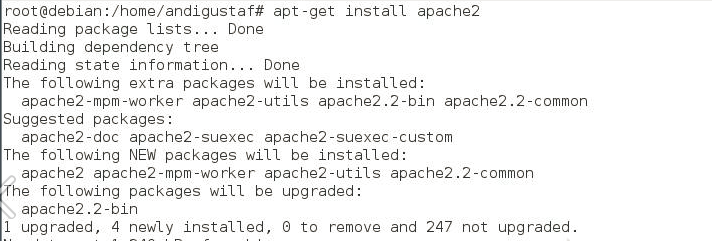
Hello world, previously we post the definition of web server and how it works. So here how to configure web server using apache. Install apache2 package Check using nmap Check the web server using a browser http://localhost . If it appears like this then it works Installing PHP5 Perform testing on php5 If it looks like the picture above then work and type http: //localhost/index.php. If the result looks like the picture below then it works Install mysql At the time of the installation process is told to go to the root is useful if we need to create a database. Test Mysql service using nmap

What is Web Server ?

Image
A Web server is a software that provides access services to users via HTTP or HTTPS communication protocols over files contained on a website, users use certain applications in the form of web browsers in making requests. The results of requests for web pages are generally in the form of HTML documents. The Web began in 1989, Tim Berners-Lee through CERN (European Organization for Nuclear Research) proposed a project aimed at facilitating the exchange of information among researchers using a hypertext system. As a result of the implementation of this project, in 1990 Berners-Lee wrote two computer programs: The world's first web server, which came to be known as CERN httpd, which runs on the NeXTSTEP operating system. A browser he named WorldWideWeb; In 1994, Tim Berners-Lee decided to standardize the World Wide Web Consortium (W3C) organization to organize advanced developments on other related technologies (HTTP, HTML, etc.) through the standardization process. ...